


SEO tools help businesses track website performance, conduct keyword research, detect technical errors, and enhance content quality on search engines. Instead of optimizing websites based purely on gut feeling, SEO professionals can rely on real-world data to make precise decisions. In this article, MEWA presents popular website SEO tools suitable for both beginners and professional SEO teams. Explore now!
Why Should You Use SEO Tools to Optimize Your Website?
Search Engine Optimization (SEO) is a complex process involving multiple stages, such as keyword research, Onpage optimization, internal/external link building, and user experience monitoring. Handling these tasks manually consumes vast amounts of time while failing to guarantee data accuracy.
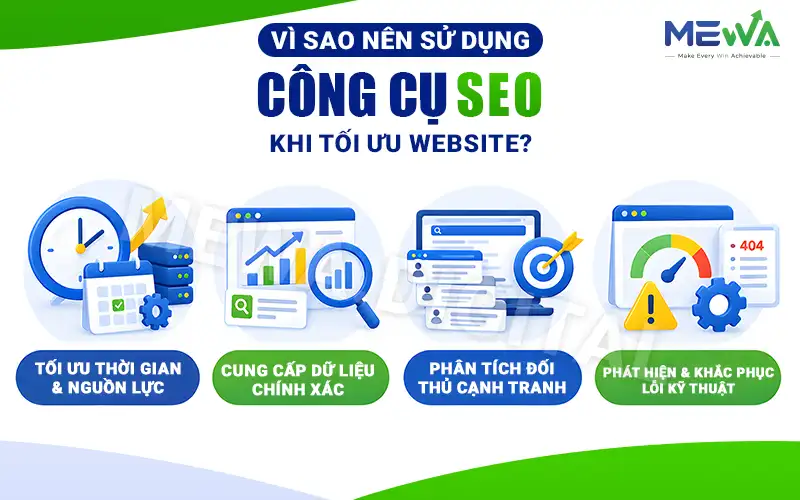
Utilizing website SEO tools delivers numerous benefits for businesses:
- Optimizing Time and Resources: Instead of spending days aggregating keywords or locating broken links, specialized software generates detailed reports in minutes.
- Delivering Accurate Data: Key metrics like Search Volume, Keyword Difficulty, Click-Through Rate (CTR), and Traffic are measured precisely.
- Analyzing Competitors: Tools enable users to dissect competitor strategies—from ranking keywords and backlink profiles to exploitable Content Gaps.
- Identifying and Resolving Technical Issues: Problems such as slow loading speeds, 404 error codes, duplicate title tags, or mobile indexing errors are flagged early for prompt resolution.
Top 7 Popular SEO Tools to Support Website Optimization
To provide a clear overview before diving into details, below is a comparison table of the top 7 highly rated SEO tools based on purpose, category, and cost:
| Tool Name | Primary Purpose | Tool Category | Pricing |
| Google Search Console | Performance tracking, Onpage technical optimization | Technical & Performance | Free |
| Ahrefs | Backlink analysis, competitor research | All-in-One / Backlink | Paid |
| Semrush | Keyword analysis, multi-channel marketing | All-in-One / Research | Paid (Free tier available) |
| Google Analytics 4 | User behavior analysis, traffic tracking | Data Analytics | Free (Enterprise available) |
| Screaming Frog | Technical SEO crawling and auditing | Technical Audit | Free / Paid |
| Google Keyword Planner | Seed keyword research & planning | Keyword Research | Free |
| KeywordTool.io | Long-tail keyword discovery, SEO writing tools | Content / Long-tail KW | Free / Paid |
1. Google Search Console (GSC) – Technical & Onpage Performance Optimization
Google Search Console (GSC) is a free SEO tool provided by Google that supports website owners, specialists, and developers in monitoring, maintaining, and troubleshooting search visibility.
Key Features
- Performance Report: Tracks core metrics such as total clicks, total impressions, average Click-Through Rate (CTR), and average keyword position on search result pages.
- Indexing Coverage: Provides detailed insight into pages crawled and indexed by Google while sending alerts when indexing issues occur.
- URL Inspection: Allows users to check the state of a specific URL to see how Googlebot reads the page and request re-indexing for updated content.
- Core Web Vitals Monitoring: Measures user experience metrics including load speed, interactivity, and visual stability.
- Sitemap & Robots.txt Management: Enables XML Sitemap submission to assist search engines in crawling data faster and more efficiently.
Pros & Cons
| Pros | Cons |
| – Completely free with official, direct data from Google. – Timely detection of security vulnerabilities, malware, or manual penalties. – Simple, user-friendly interface suitable for beginners. | – Data export limited to a maximum of 1,000 rows per report on the web interface. – Performance metrics often suffer from a 1 to 2-day update delay. – Does not provide competitor analysis features. |
Pricing: Google Search Console is provided completely free of charge with no feature limits or upgrade requirements.
2. Ahrefs – Backlink Analysis & Competitor Research
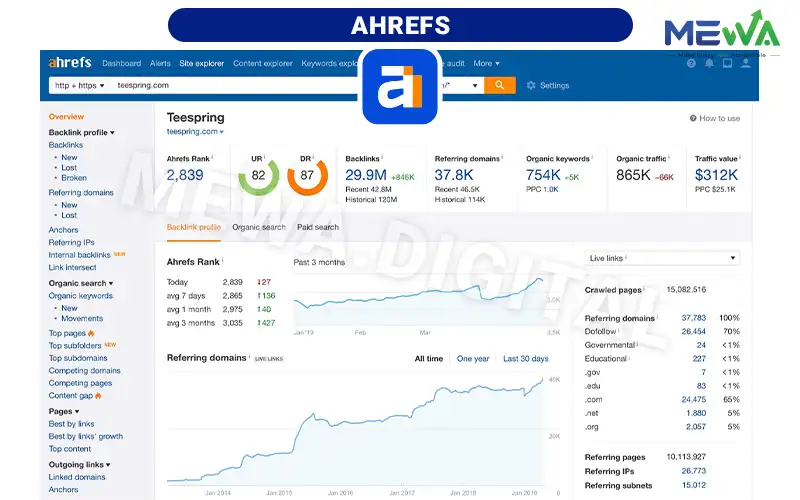
Ahrefs is a world-renowned, in-depth SEO tool suite holding a massive backlink and web crawl database second only to Google. It stands as a top choice for specialists analyzing competitors and building Offpage strategies.
Key Features
- Site Explorer: Analyzes backlink structures, Organic Traffic, and ranking keywords for any website.
- Keywords Explorer: Supports keyword research with deep metrics like search volume, Keyword Difficulty (KD), actual click rates, and related term counts.
- Site Audit: Crawls entire websites to detect over 170 technical SEO errors and suggests detailed solutions.
- Content Explorer: Discovers top-shared and most linked-to content within specific industries.
- Link Intersect: Compares link profiles across competitors to reveal prospective backlink opportunities your site lacks.
Pros & Cons
| Pros | Cons |
| – Highly accurate, continuously updated backlink data. – Rich keyword suggestions with realistic difficulty scores. – Content Gap functionality effectively exploits competitor content shortfalls. | – Expensive pricing for individuals or small business owners. – Requires significant time to master reading and analyzing advanced reports. – No full free trial available. |
Pricing: Ahrefs offers the following plans
- Ahrefs Webmaster Tools: Free for verified website owners (limited to Site Explorer & Site Audit).
- Lite Plan: Starts at $99/month (annual billing) or $119/month (monthly billing).
- Standard Plan: Starts at $199/month, ideal for small to medium marketing teams.
- Advanced & Enterprise Plans: Ranging from $399 to $999/month for agencies and large organizations.
3. Semrush – All-in-One SEO & Digital Marketing Platform
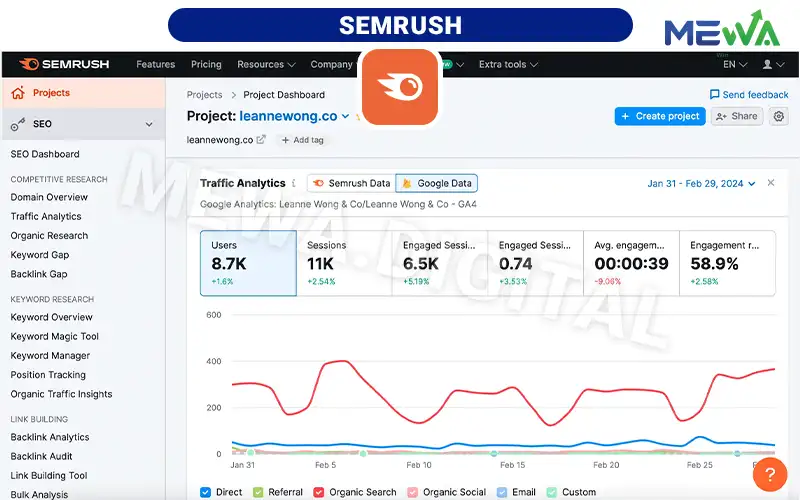
Semrush is an online visibility management software solution integrating over 55 distinct tools. Beyond standard SEO features, this platform supports market research, paid ad campaign management (PPC), Social Media, and Content Marketing.
Key Features
- Keyword Magic Tool: A database containing over 25 billion keywords categorized by user Search Intent.
- Domain Overview: Offers a high-level summary of website health, traffic sources, geographic reach, and ranking fluctuations.
- Keyword Gap & Backlink Gap: Directly compares keywords and link profiles between your website and up to 5 competitors simultaneously.
- Position Tracking: Monitors daily keyword ranking movements across multiple devices (Desktop/Mobile) and specific target locations.
- Content Marketing Toolkit: Helps plan content, check article optimization, and analyze performance based on SERP data.
Pros & Cons
| Pros | Cons |
| – Versatile SEO tool covering full-spectrum SEO, PPC, and content marketing. – Accurately categorizes Search Intent (Informational, Navigational, Commercial, Transactional). – Intuitive interface with clear data visualizations. | – The sheer volume of features can overwhelm beginner users. – Estimated traffic data may occasionally show discrepancies in local niche markets. |
Pricing
- Free Plan: Free registration with limits of 10 searches per day and 1 tracking project.
- Pro Plan: $108.33/month (annual billing) or $129.95/month (monthly billing).
- Guru Plan: $208.33/month tailored for mid-sized businesses and marketing agencies.
- Business Plan: $416.66/month meeting large-scale data analysis and API integration needs.
4. Google Analytics 4 (GA4) – User Behavior & Traffic Analysis
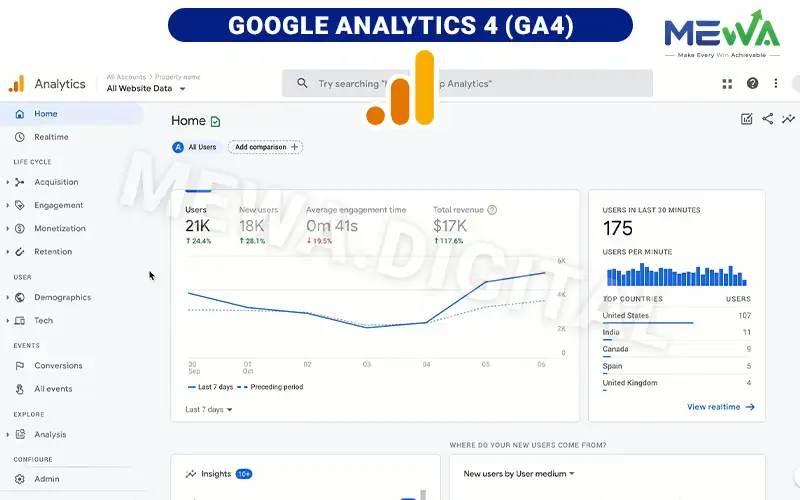
Google Analytics 4 (GA4) is Google’s next-generation data analytics SEO tool. Unlike the former Universal Analytics (UA), GA4 employs an event-based data collection model, measuring user interactions across both websites and mobile applications in detail.
Key Features
- Cross-Platform Tracking: Unifies user interaction data from websites and mobile apps (iOS/Android) into a single report.
- Flexible Event Model: Automatically logs actions like page scrolls, outbound clicks, site searches, and video engagement without complex setups.
- Customer Journey Analysis: Delivers reports covering touchpoints from initial access and interaction through to conversion actions.
- Machine Learning Predictions: Uses AI to analyze purchasing trends and forecast future user churn rates.
- Google Ecosystem Integration: Connects easily with Google Search Console, Google Ads, and BigQuery for deep data exploration.
Pros & Cons
| Pros | Cons |
| – Completely free and strictly compliant with data privacy regulations. – Accurately tracks user behavior instead of relying solely on raw pageviews. | – Complex customizable reporting interface requiring users to learn how to build Explorations. – Does not automatically inherit historical data from the old Universal Analytics. |
Pricing: GA4 is completely free for standard users. Large enterprises processing massive datasets can upgrade to the paid enterprise version, Google Analytics 360, starting from $50,000/year.
5. Screaming Frog SEO Spider – In-Depth Technical SEO Auditing
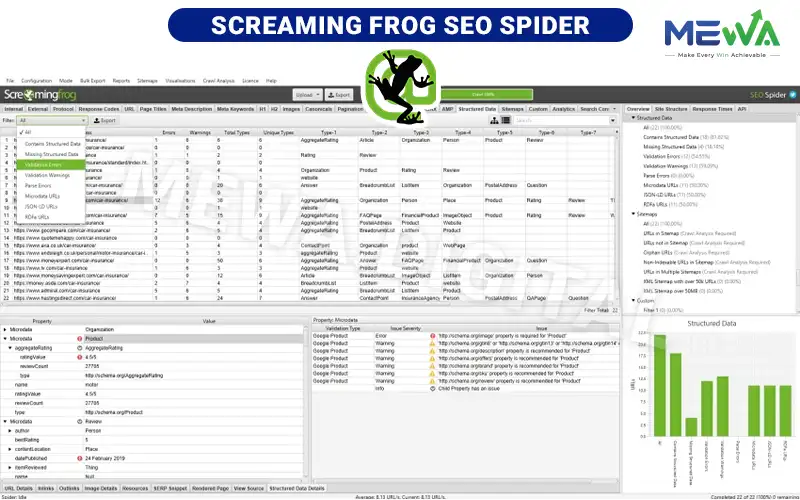
Screaming Frog SEO Spider is a desktop software program (compatible with Windows, macOS, and Linux). This SEO tool operates by acting as a search engine crawler to fetch website URLs, extract data, and rapidly surface technical SEO errors.
Key Features
- Broken Link Detection: Crawls site pages to isolate broken internal or external links (404, 500 status codes, etc.).
- Meta Tag & Title Audit: Lists pages missing Titles or Meta Descriptions, as well as duplicate, short, or excessively long tags.
- Redirect Analysis: Identifies redirect chains and loops that waste Crawl Budget.
- Duplicate Content Identification: Detects identical URLs or pages lacking optimized canonical tags.
- XML Sitemap Generation: Automatically builds XML sitemaps complete with change frequency and priority configurations.
Pros & Cons
| Pros | Cons |
| – Extremely fast and precise crawling capabilities across hundreds of thousands of URLs. – Offers API integrations with Google Search Console, Google Analytics, and PageSpeed Insights. | – Consumes significant RAM and system hardware resources when crawling larger sites. – Technical spreadsheet-style interface, making quick visual reporting less accessible. |
Pricing
- Free Version: Crawls up to 500 URLs per project with limited access to advanced features.
- Paid License: Costs approximately $259/year (or £149/year), unlocking unlimited URL crawls, API access, and scheduled crawls.
6. Google Keyword Planner – Seed Keyword Research & Planning
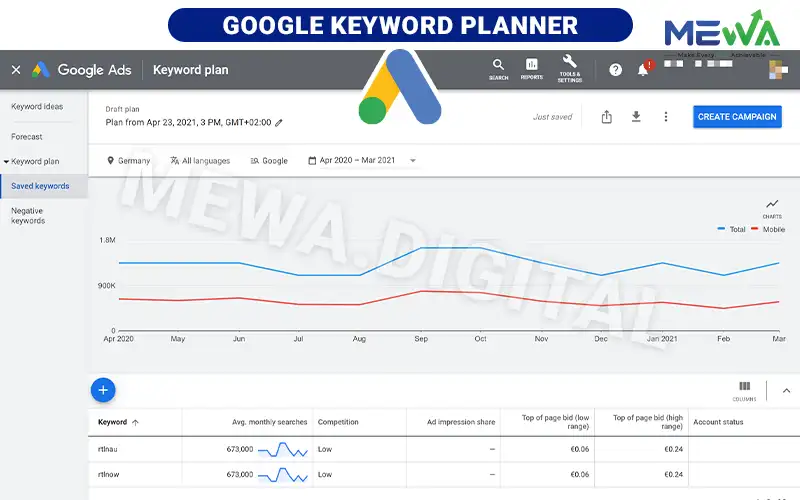
Google Keyword Planner is a native keyword research tool integrated within the Google Ads platform. Though originally designed for paid campaigns (PPC), it remains a vital source of foundational data for SEO due to its real-world search accuracy.
Key Features
- Discover New Keywords: Searches for related search terms using seed keywords, website URLs, or product/service categories.
- Search Volume Data: Delivers historical metrics on average monthly searches and multi-year trend shifts.
- Competition Assessment: Displays advertising competition levels (Low, Medium, High) alongside estimated bid ranges per keyword.
- Advanced Data Filtering: Filters keywords by geographical location, language, date ranges, and negative keyword exclusions.
Pros & Cons
| Pros | Cons |
| – Accurate data managed and distributed directly by Google. – 100% free for users holding a Google Ads account. | – Search volumes display as broad range estimates (e.g., 1K – 10K) unless the account maintains active ad spend. – Lacks organic Keyword Difficulty indicators. |
Pricing: This SEO tool is completely free. Users simply register a Google Ads account to access and utilize the data.
7. KeywordTool.io – Effective SEO Writing Tools & Long-Tail Keyword Discovery
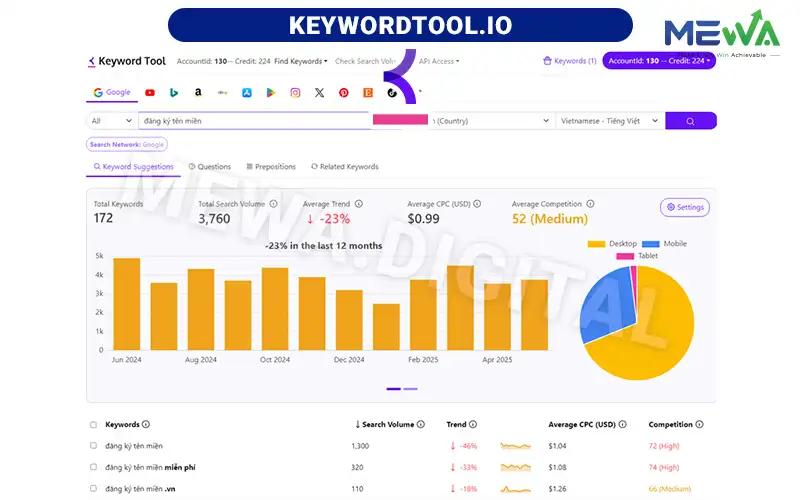
KeywordTool.io is an online keyword research solution leveraging Google Autocomplete to generate extensive long-tail keyword suggestions. It is recognized as one of the best SEO writing tools available, helping content creators uncover exact search queries and user needs.
Key Features
- Multi-Platform Keyword Discovery: Fetches search keywords across Google, YouTube, Amazon, eBay, Play Store, Instagram, and TikTok.
- Question-Based Query Searches: Automatically filters and groups question keywords (Who, What, Where, Why, How), making it ideal for structuring Onpage content outlines.
- In-Depth Metrics Analysis (Pro Version): Delivers accurate Search Volume, trend data, Cost-Per-Click (CPC), and ad competition figures.
- Easy Data Exporting: Exports keyword lists into Excel or CSV file formats for convenient analysis and storage.
Pros & Cons of KeywordTool.io
| Pros | Cons |
| – Clean, user-friendly interface with fast response speeds. – Uncovers high volumes of targeted long-tail keywords that other platforms miss. | – Free version hides all Search Volume and CPC data metrics. – Pro subscription costs are relatively high for a dedicated keyword research tool. |
Pricing
- Free Version: Displays up to 750 keyword suggestions with metric data hidden.
- Pro Basic Plan: Starts at $69/month (annual billing) or $89/month (monthly billing).
- Pro Plus Plan: Starts at $79/month, offering competition metrics and expanded user access.
- Pro Business Plan: Starts at $159/month aimed at large content teams.
Key Considerations When Using SEO Tools
While SEO tools offer invaluable data insights, businesses must keep the following considerations in mind to maximize value and prevent budget waste:
- Data Serves as a Reference: Search Volume, Keyword Difficulty, or traffic estimates on third-party software (such as Ahrefs or Semrush) are based on algorithm estimates. Always cross-reference against actual data from Google Search Console and GA4 for the most accurate evaluation.
- Avoid Over-Reliance on Tool Scores: Do not force Onpage SEO optimization scores to hit 100/100 if it results in unnatural phrasing or keyword stuffing. Always prioritize readability and genuine user value first.
- Select Based on Scale and Budget: Early-stage businesses should fully leverage free platforms from Google alongside Screaming Frog Free. Investing in comprehensive paid suites delivers true ROI once website scale expands.
- Integrate SEO with Multi-Channel Ecosystems: SEO should not operate in isolation. A successful strategy harmonizes website user experience with E-commerce sales, Livestreams, and Affiliate Marketing to convert organic traffic into actual revenue.
Conclusion
Selecting and mastering the right SEO tools serves as a primary key to data-driven decision-making over guesswork.Businesses should evaluate actual operational needs to invest in optimal website SEO tools, maximizing cost efficiency for sustainable growth.
If you are seeking a comprehensive SEO roadmap connected to real multi-channel business performance, MEWA is ready to partner with you every step of the way!
